Ufone Balance Save Code is *6611#. This service helps protect your main Ufone balance from mobile internet charges after your active data MBs finish. The service can help prepaid and postpaid users avoid unexpected balance deductions caused by mobile data usage.
Ufone Balance Save Code
The Ufone Balance Save service uses *6611# for activation and deactivation. Users can dial this code from their Ufone SIM and follow the instructions displayed on the screen.
| Service | Code | Charges |
|---|---|---|
| Balance Save | *6611# | Free |
| Balance check | *124# | As per applicable service rules |
| Customer care | 333 | As per applicable service rules |
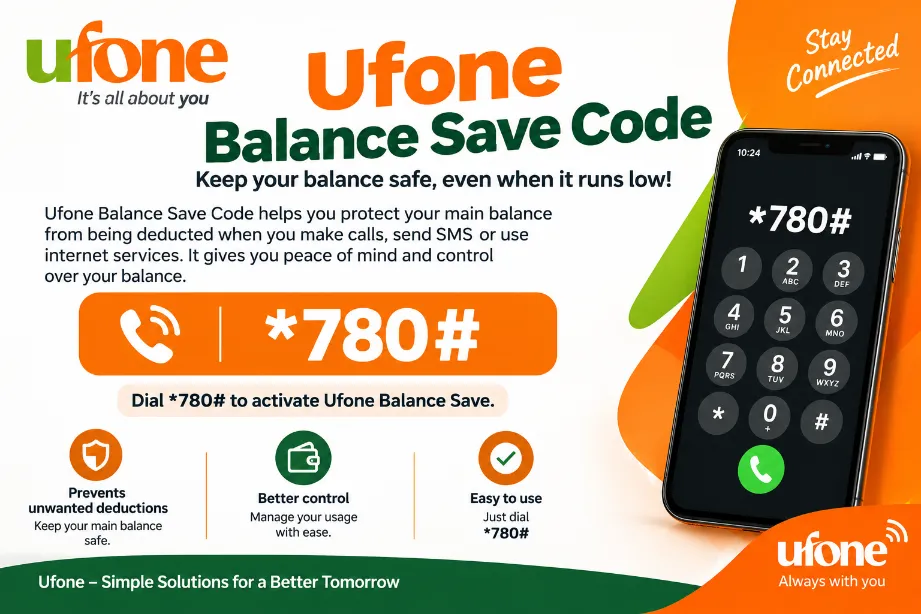
How to Activate Ufone Balance Save
Activating the service takes only a few steps:
- Open the dialer on your mobile phone.
- Dial
*6611#from your Ufone SIM. - Send the USSD request.
- Select the Balance Save option.
- Follow the instructions shown on your screen.
- Wait for the confirmation message.
After activation, your main balance receives protection from chargeable mobile internet usage after your data bundle resources finish. Just for audience knowledge, before activate save code you must check which is your current package is active.
How Ufone Balance Save Works
Ufone Balance Save places a restriction on chargeable mobile data usage. For example, suppose you have a 2 GB internet package. You use all 2 GB during the package validity period. After the package resources finish, mobile data cannot keep charging your main balance under the Balance Save facility.
This can help users avoid losing airtime simply because mobile data remains switched on.
Main Features of Ufone Balance Save
- Balance Save Code:
*6611# - Service charge: Free
- Available for prepaid users.
- Available for postpaid users.
- Helps protect the main balance from mobile data charges.
- Works alongside active internet bundles.
- The service can be managed through the USSD menu.
- Users can check their balance separately with
*124#.
How to Save Ufone Balance From Internet Usage
Mobile internet can consume airtime after a data package runs out. Balance Save provides a simple way to prevent this type of deduction.
Follow these steps:
- Dial
*6611#. - Activate the Balance Save facility.
- Keep an active internet bundle for regular browsing.
- Check your remaining MBs regularly.
- Buy another data package after your bundle resources finish.
- Check your Ufone balance through
*124#.
Keeping Balance Save active can be useful for users who regularly forget to switch off mobile data after their package resources finish.
What Happens After Activating Balance Save?
After successful activation, chargeable mobile data does not keep consuming your main Ufone balance after your available bundle MBs run out.
For example:
Data package: 5 GB
Used: 5 GB
Remaining: 0 MB
Balance Save: Active
In this situation, further chargeable internet usage gets restricted rather than deducting regular airtime.
Can Ufone Balance Save Work With an Internet Bundle?
Yes. Balance Save works with an active internet bundle. Your bundle MBs can continue to provide internet access according to the package conditions.
Once those MBs finish, Balance Save prevents regular balance from being used for chargeable mobile data.
How to Check Ufone Balance
Ufone users can dial *124# to check their available balance. The USSD request displays the relevant balance information on the mobile screen.
Users can also use the Ufone app to review account information, packages, and available resources.
How to Deactivate Ufone Balance Save
Users who want to turn off Balance Save can dial *6611# and select the relevant option from the USSD menu.
After deactivation, mobile internet can use the main balance according to the applicable Ufone charging rules.
What to Do If Ufone Balance Gets Deducted
Balance deductions can result from mobile internet, calls, SMS, subscriptions, or other account activity. Balance Save mainly deals with chargeable mobile internet usage.
For a deduction you do not recognize, you can:
- Check your balance with
*124#. - Review your active bundles.
- Check subscribed services.
- Review your recent usage.
- Contact Ufone customer support.
- Dial 333 from your Ufone number for assistance.
Ufone Balance Save Code for Prepaid Users
Prepaid Ufone users can dial *6611# to activate Balance Save. The facility helps stop mobile internet from consuming regular prepaid airtime after available bundle MBs finish.
This can be useful for users who keep a balance on their SIM for calls, SMS, or other services and want to prevent accidental internet deductions.
Ufone Balance Save Code for Postpaid Users
Postpaid users can also use the Balance Save facility. Dial *6611# and follow the options shown on the screen.
The service can restrict chargeable mobile data after the available bundle resources finish, helping users maintain better control over data-related charges.
Ufone Balance Save Code Details
| Detail | Information |
|---|---|
| Service | Ufone Balance Save |
| Activation code | *6611# |
| Deactivation | *6611# |
| Service fee | Free |
| Prepaid | Available |
| Postpaid | Available |
| Purpose | Protect main balance from chargeable data |
| Balance check | *124# |
| Ufone helpline | 333 |
Benefits of Ufone Balance Save
Ufone Balance Save can provide several practical benefits:
- Protects airtime from chargeable mobile data.
- Helps control unexpected balance deductions.
- Works with active internet packages.
- Available for prepaid and postpaid accounts.
- Activation does not require a complicated procedure.
- Users can manage the service through a USSD code.
Ufone Balance Save Code is *6611#. Dial the code from your Ufone SIM to access the Balance Save service. The facility helps prevent chargeable mobile internet from using your main balance after your available data resources finish.
For regular balance checks, dial *124#. Keeping Balance Save active can provide an extra layer of protection for Ufone users who keep mobile data switched on.