
The Ufone Balance Check Code lets prepaid users check their remaining account balance directly from a mobile phone. Dial *124# from your Ufone SIM and the available balance will appear on the screen. The method works without an internet connection, making it useful for users who want to check their balance before making calls, sending SMS, or using mobile data.
Ufone Balance Check Code 2026
Ufone prepaid customers can use the following USSD code:
| Service | Code | Availability |
|---|---|---|
| Ufone Balance Check | *124# | Prepaid SIM |
| Balance inquiry | *124# | USSD |
| Internet required | No | — |
| App required | No | — |
Dial *124# from the Ufone number and wait for the balance message. The response may show the main account balance along with related account information.
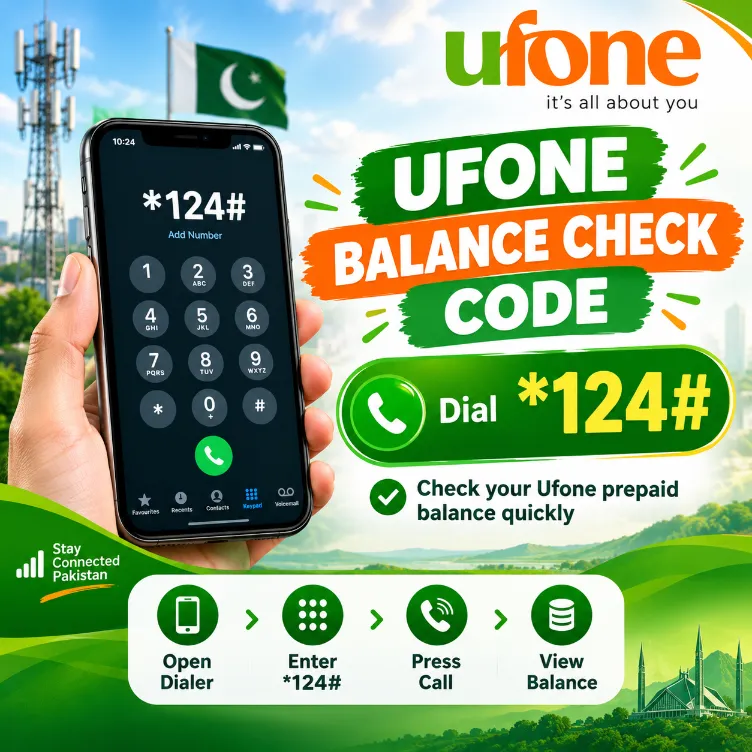
How to Check Ufone Balance
Checking the Ufone balance takes only a few steps:
- Open the phone dialer.
- Enter *124#.
- Press the call button.
- Wait for the USSD response.
- Check the balance displayed on the screen.
The code works directly through the Ufone network, so users do not need mobile data for this method.
Ufone Balance Check Through UPTCL App
Ufone also provides account management through its official mobile application. Users can sign in with their Ufone number and view account details from the app.
The app can provide access to several account features, such as:
- Current balance
- Remaining internet resources
- Remaining call resources
- SMS resources
- Active packages
- Recharge options
- Account services
For a basic balance inquiry, the USSD method remains faster since it does not require an app or internet connection.
Ufone Balance Check Without Internet
The *124# code works through USSD technology. This means an internet connection does not need to be active on the phone.
This option can help in situations such as:
- Mobile data has run out.
- Wi-Fi access is unavailable.
- The Ufone app cannot load.
- The user wants a quick account check.
- A package needs to be checked before making a call.
Ufone Balance Check After Recharge
After adding credit to a Ufone prepaid SIM, users can dial *124# again to check the updated account balance. This gives a direct way to confirm that the available credit has changed after a successful recharge.
A balance inquiry or the Balance save code can also help users track credit after calls, SMS usage, internet sessions, or subscription charges.
Ufone Balance Check Code for Prepaid SIM
The code *124# applies to Ufone prepaid balance inquiries. Postpaid customers follow a different billing system, so prepaid balance codes may not provide the same information for a postpaid connection.
| Ufone User Type | Balance Method |
|---|---|
| Prepaid | *124# |
| Postpaid | Check bill/account details |
| Smartphone user | UPTCL app |
| Basic phone user | USSD code |
Why Ufone Balance May Decrease
Several services can reduce prepaid credit. Common reasons may cover:
- Voice calls
- SMS charges
- Mobile internet usage
- Package subscriptions
- Value-added services
- Automatic renewals
- Out-of-bundle internet usage
Checking the balance regularly can help users keep track of available credit and avoid unexpected deductions.
Ufone Balance Check Code Not Working
Sometimes a USSD request may fail due to a temporary network issue, SIM problem, or phone-related issue. Try these steps:
- Check that the Ufone SIM has network signals.
- Dial *124# again.
- Restart the phone.
- Turn airplane mode on and off.
- Check the SIM in another handset.
- Contact Ufone customer support if the issue remains.
A temporary network problem can prevent a USSD request from returning a response.
Ufone Balance Check Charges
USSD services can have specific charges depending on the service and current Ufone terms. Users should check the latest Ufone service information for any applicable inquiry fee.
The balance shown after an inquiry can also vary based on active subscriptions, taxes, package usage, and other account deductions.
Ufone Balance Check via Customer Support
Users who cannot access the USSD service can contact Ufone customer support for account assistance. Customer service can help with balance-related questions, package details, SIM issues, and other account concerns.
Keep the Ufone number available during the support process so the account can be verified properly.
Tips to Save Ufone Balance
A few simple habits can help prepaid users control their mobile credit:
- Check the balance before long calls.
- Monitor mobile data usage.
- Turn off mobile data for apps that use background data.
- Review active subscriptions.
- Recharge according to actual usage.
- Check package expiry dates.
- Use suitable Ufone call and internet offers.
What is the Ufone Balance Check Code?
The Ufone prepaid balance inquiry code is *124#. Dial it from the Ufone SIM to request the available balance.
Can I check Ufone balance without internet?
Yes. Dial *124# through the phone dialer. USSD does not require mobile data or Wi-Fi.
Does the Ufone balance code work on prepaid SIMs?
Yes, *124# serves as the prepaid balance inquiry code.
Can I check Ufone balance through an app?
Yes. Ufone customers can use the UPTCL app for account and service information, subject to app availability and account access.
What can I do if the balance code fails?
Check network signals and dial *124# again. Restarting the handset can also help. For persistent problems, Ufone customer support can assist with the account.