
PSCA E Challan Check by Vehicle Number lets Punjab vehicle owners verify traffic fines through the official Punjab Safe Cities Authority system. The official PSCA portal uses vehicle registration details along with other required information to retrieve available e-challan records. PSCA launched its electronic challan system to issue traffic violation notices through camera-based monitoring and digital enforcement.
For the safest verification, use the official PSCA website rather than links received through random SMS messages. PSCA has warned the public about fake e-challan messages and fraudulent websites.
PSCA E Challan Check Online
The official e-challan portal is:
The portal provides access to PSCA traffic challan records. Earlier PSCA instructions required the vehicle registration number and CNIC for checking and printing challans.
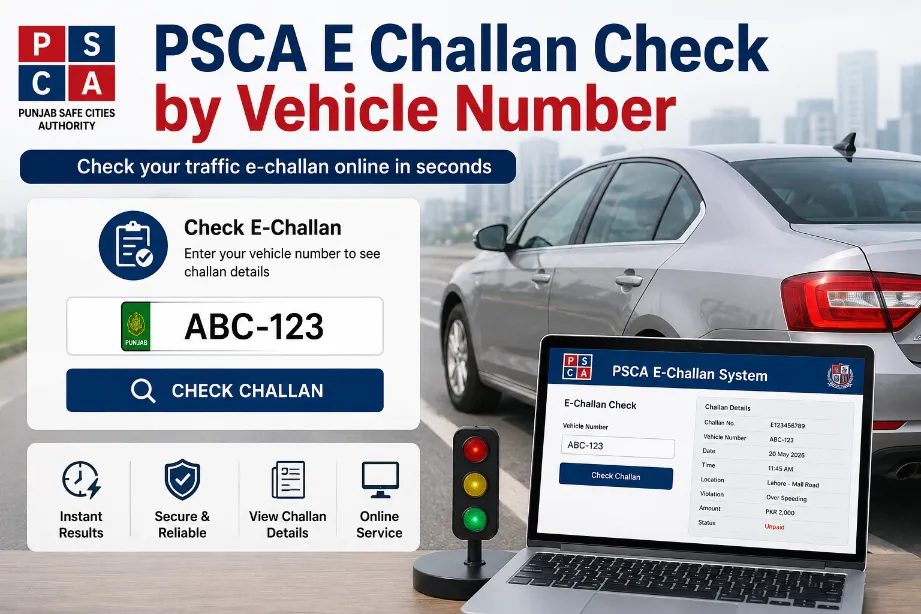
How to Check PSCA E Challan by Vehicle Number
Follow these steps to check a Punjab traffic challan online:
- Open the official PSCA e-challan portal.
- Enter your vehicle registration number in the required field.
- Enter the CNIC details requested by the portal.
- Submit the search request.
- Review the available challan record.
- Check the violation, date, location, amount and payment status.
- Save or print the challan details for your records.
The exact fields shown on the portal can change as PSCA updates its online service, so use the fields displayed on the official government portal.
Information Shown in a PSCA E-Challan
A retrieved challan record may provide details such as:
- Vehicle registration number
- Violation details
- Date of violation
- Location of violation
- Challan amount
- Payment status
- Challan reference or identification details
- Image or evidence related to the violation, where available
PSCA describes its e-challan system as an ANPR-based system connected with traffic monitoring technology. The system can generate traffic offence notices through camera-based detection.
PSCA E Challan Check Without Visiting an Office
Online verification saves a trip to a traffic office. A vehicle owner can use a phone, tablet or computer with internet access and check the available record through the PSCA portal.
This method can help vehicle owners:
- Check pending traffic fines
- Review violation details
- Confirm a challan received through an official notice
- Keep a digital record of fines
- Prepare the required details for payment
PSCA E Challan Payment
Checking a challan and paying a challan are separate steps. PSCA has advised citizens that verification should take place through the official e-challan website, while payments can be made through the e-Pay Punjab application by generating a PSID.
| Service | Recommended option |
|---|---|
| E-challan verification | Official PSCA portal |
| Vehicle details | Vehicle registration number |
| Additional identity detail | CNIC, based on portal requirements |
| Online payment | e-Pay Punjab |
| Payment reference | PSID |
| Assistance | Police Helpline 15, option 6 |
How to Stay Safe From Fake E-Challan Messages
Fake e-challan SMS messages have created a security risk for Punjab motorists. PSCA has stated that official e-challan SMS messages come from 9915. The authority also warned that such messages do not contain payment links or requests for bank account, ATM card or other financial information.
Keep these points in mind:
- Do not open a payment link sent through an unexpected SMS.
- Do not share bank account information through an e-challan message.
- Do not provide ATM card details to a sender claiming to represent PSCA.
- Type the official PSCA portal address directly into your browser.
- Verify the challan before making any payment.
- Use e-Pay Punjab for the payment process advised by PSCA.
PSCA E Challan SMS From 9915
PSCA has publicly stated that its official e-challan SMS messages are sent from 9915. A message containing a link or asking for financial information should not be treated as a legitimate payment request.
The safest approach is to check the vehicle record independently through the official portal instead of relying on a message link.
What to Do After Finding a Challan
After a challan appears in the PSCA system, check all displayed details carefully. Pay particular attention to the vehicle number, violation, date, location and amount.
For a genuine pending fine, follow the payment method provided through the official system. PSCA has advised citizens to use e-Pay Punjab and generate a PSID for payment.
For a disputed or incorrect record, keep the challan information and contact the relevant Punjab Police or PSCA support channel for guidance.
PSCA E Challan Check for Cars and Motorcycles
The PSCA e-challan system covers traffic enforcement through camera-based technology and traffic monitoring systems. Car and motorcycle owners can use the official verification process to check records linked with their registration details. PSCA documentation describes the system as an electronic traffic enforcement service using Automatic Number Plate Recognition technology.
Why Vehicle Number Details Matter
The vehicle registration number connects a traffic record with the registered vehicle. Correctly entering the registration information helps the system retrieve the relevant record.
Use the registration number exactly as shown on your official vehicle documents. Avoid adding random spaces, symbols or altered characters.
PSCA E Challan Check by Vehicle Number Not Showing a Record
A blank result does not automatically mean there has never been a traffic violation. Possible reasons can include:
- Incorrect vehicle registration details
- Incorrect CNIC information
- A record that has not appeared in the system yet
- Portal maintenance or a temporary technical issue
- A challan belonging to another registration record
Recheck the details and submit the request again through the official PSCA portal.
PSCA E Challan Check Online — Main Points
| Point | Details |
|---|---|
| Authority | Punjab Safe Cities Authority |
| Service | Electronic traffic challan verification |
| Main portal | echallan.psca.gop.pk |
| Search detail | Vehicle registration number |
| Additional detail | CNIC may be requested |
| Technology | ANPR and traffic monitoring |
| Payment route advised by PSCA | e-Pay Punjab |
| Payment reference | PSID |
| Official SMS short code | 9915 |
| Support | Police Helpline 15, option 6 |
PSCA E Challan Check by Vehicle Number provides Punjab motorists with a convenient way to review traffic fine records online. Use the official PSCA portal, enter accurate vehicle details, review the displayed violation information and follow the official payment route for any outstanding fine. Avoid suspicious SMS links and never share banking information through an e-challan message.
Can I check a PSCA challan by vehicle number?
Yes. The PSCA e-challan system provides online verification using vehicle registration details. The portal may also request CNIC information as part of the search process.
Is the PSCA e-challan check free?
The verification service is available through the official PSCA portal. Avoid websites or messages asking for payment merely to reveal a challan record.
What is the official PSCA e-challan website?
The official verification address is echallan.psca.gop.pk. PSCA has specifically directed citizens to use this website for e-challan verification.
How can I pay a PSCA e-challan?
PSCA has advised citizens to use the e-Pay Punjab application and generate a PSID for payment.
Is a payment link in an SMS safe?
Do not use an unexpected payment link sent through an e-challan SMS. PSCA has warned that its official e-challan messages do not contain payment links or requests for banking information.
What number sends official PSCA e-challan SMS messages?
PSCA has stated that official e-challan SMS messages are sent from 9915. A message containing a payment link or requesting financial details should be treated with caution.