The Hazara Electric Supply Company Online Bill service makes it easier for consumers in the Hazara region to view their electricity billing details from home. HAZECO serves consumers across the Hazara region of Khyber Pakhtunkhwa. The company operates as the electricity distribution provider for the area.
A digital bill can save a trip to a customer service office. Consumers can use the online facility to access a duplicate electricity bill, review payable amounts, check billing details, and prepare for payment.
HAZECO Online Bill Service
HAZECO provides digital services for electricity consumers. Its service area covers the districts of the Hazara region, giving local consumers access to billing facilities and customer support.
The duplicate bill facility can help in situations such as:
- The paper bill has not arrived.
- The original bill has been misplaced.
- A consumer needs another copy for payment.
- The payable amount needs to be checked.
- Billing information needs to be reviewed before payment.
- A household needs a digital copy for record keeping.
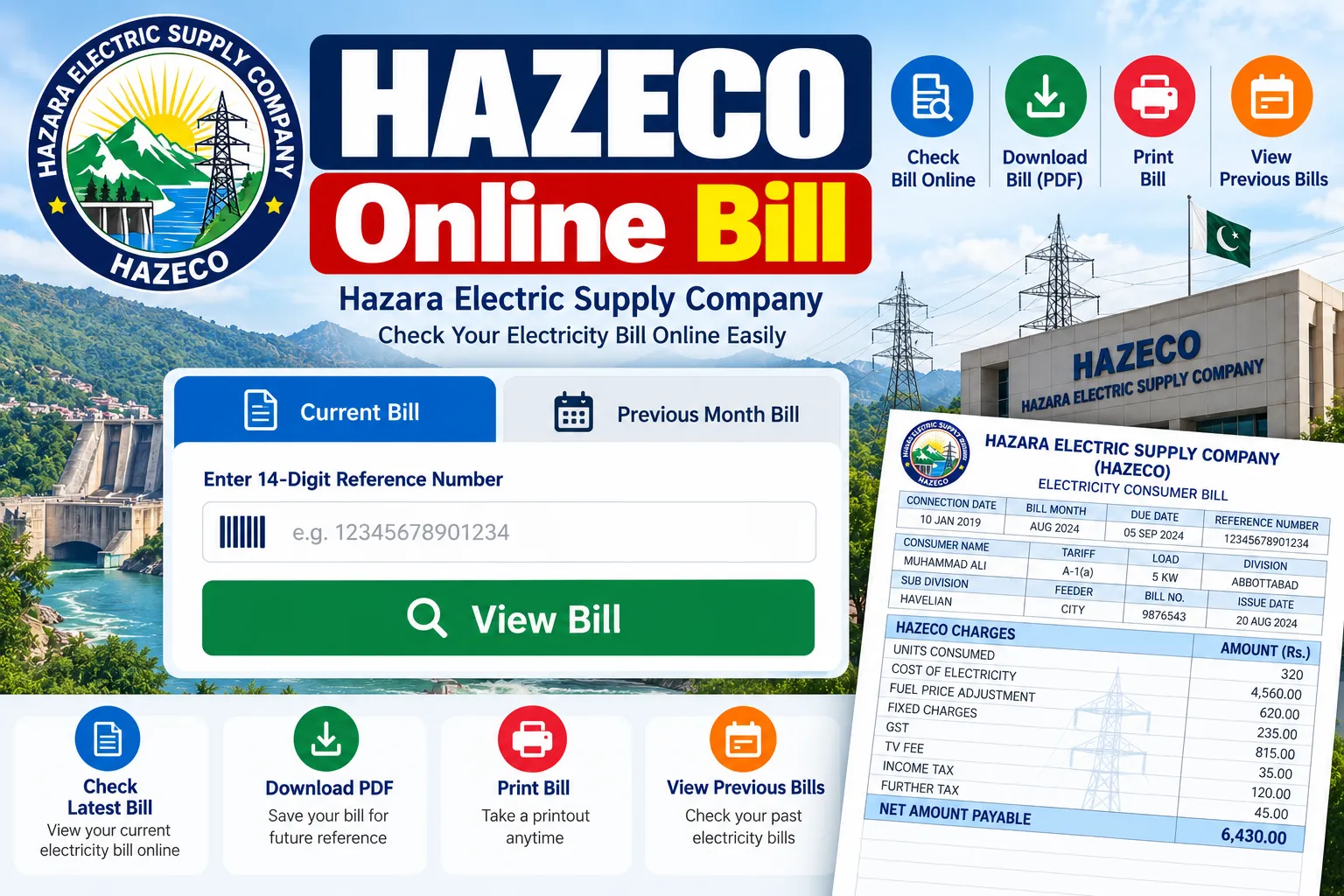
How to Check HAZECO Electricity Bill Online
Checking an electricity bill online generally requires consumer billing information. Keep your latest bill nearby so that the required reference information can be entered correctly.
Follow these basic steps:
- Open the official HAZECO website.
- Go to the duplicate bill or bill service section.
- Enter the required consumer information.
- Submit the billing details.
- Review the displayed bill.
- Save or print the duplicate copy for payment.
The online bill facility gives consumers a convenient way to access billing information without depending entirely on a paper copy.
Information Available on an Electricity Bill
An electricity bill contains several details that help a consumer identify the connection and review monthly charges.
| Bill Detail | Purpose |
|---|---|
| Reference Number | Identifies the electricity connection |
| Consumer Name | Shows the registered consumer |
| Billing Month | Shows the billing period |
| Meter Number | Identifies the electricity meter |
| Previous Reading | Shows the earlier meter reading |
| Current Reading | Shows the latest meter reading |
| Units Consumed | Displays electricity usage |
| Bill Amount | Shows the amount payable |
| Due Date | Gives the payment deadline |
| Tariff Category | Identifies the applicable tariff |
Review these fields after obtaining a digital copy. A mismatch in consumer information or meter details may require assistance from the relevant customer service office.
HAZECO Duplicate Bill
A duplicate bill provides a convenient replacement for a missing paper bill. Consumers can use a digital copy for payment, record keeping, or checking monthly charges.
A duplicate copy can be useful for:
- Checking the current payable amount
- Reviewing the billing month
- Saving a digital record
- Printing a copy
- Preparing for payment
- Checking meter readings
Use the official HAZECO website for billing services and avoid entering personal billing information on unfamiliar websites.
HAZECO Bill Payment
After viewing the bill, the next step is payment through an available banking or digital payment channel. HAZECO has established payment arrangements through banking and digital channels to make electricity bill payments more convenient.
Before making payment, check:
- Consumer reference details
- Total amount payable
- Due date
- Any applicable surcharge
- Payment channel details
- Transaction confirmation after payment
Keep the payment receipt or digital confirmation for future record checks.
HAZECO Electricity Tariff
Electricity charges depend on the applicable tariff category and the number of units consumed. HAZECO provides tariff information for residential, commercial, industrial, agriculture, and other consumer categories.
For residential consumers, rates can vary according to protected or unprotected status, consumption slab, sanctioned load, and meter type.
Some residential tariff details can be presented as follows:
| Residential Category | Listed Rate |
|---|---|
| Up to 50 units – Life Line | Rs. 3.95/kWh |
| 1–100 units – Life Line | Rs. 7.74/kWh |
| 1–100 units – Protected | Rs. 10.54/kWh |
| 101–200 units – Protected | Rs. 13.01/kWh |
| 1–100 units – Unprotected | Rs. 22.44/kWh |
| 101–200 units – Unprotected | Rs. 28.91/kWh |
| 201–300 units – Unprotected | Rs. 33.10/kWh |
Tariff figures can change through revised regulatory schedules, so consumers should review the latest applicable rates before calculating a final bill amount.
HAZECO Bill Calculator
HAZECO also provides a bill calculator for consumers who want to get an approximate electricity cost based on tariff information and unit consumption.
The calculator can help households plan electricity expenses based on their expected monthly usage.
The calculator provides options related to:
- Residential tariff categories
- Commercial tariff categories
- Industrial tariff categories
- Agriculture categories
- Single-phase meter selection
- Three-phase meter selection
- Unit consumption in kWh
The actual bill can contain additional charges, taxes, adjustments, or other applicable amounts. A calculator result should therefore be treated as an approximate figure rather than the final payable amount.
What to Check After Getting Your Bill
A quick review can help spot basic billing issues before payment.
Check these points:
- Consumer name
- Reference number
- Meter number
- Previous meter reading
- Current meter reading
- Units consumed
- Billing month
- Current bill amount
- Due date
- Additional charges
For a suspected billing issue, keep a copy of the bill and contact HAZECO customer support.
HAZECO Customer Support
HAZECO provides customer support for electricity consumers across its service area. The head office is located in Abbottabad, Khyber Pakhtunkhwa.
Customer support can help with:
- Billing disputes
- Meter concerns
- Payment questions
- Connection-related issues
- Electricity service requests
- Consumer information problems
For a billing complaint, keep the following information ready:
- Consumer reference number
- Consumer name
- Meter number
- Mobile number
- Recent bill copy
- Payment receipt, where relevant
- A short description of the issue
Accurate information can make the support process easier.
Common Reasons for a High Electricity Bill
A higher bill can result from increased unit consumption, tariff changes, additional charges, meter readings, or billing adjustments.
Common causes can be:
- Increased use of air conditioners
- Electric heaters
- Water pumps
- Refrigerators
- Washing machines
- Electric cooking appliances
- Extended lighting use
- Higher household consumption
- Tariff changes
HAZECO tariff categories also separate protected and unprotected residential consumers and different consumption slabs. The payable amount can therefore vary according to the applicable category and usage level.
Tips for Managing Electricity Consumption
Lower electricity use can help households manage monthly expenses.
Simple steps include:
- Switch off lights in unused rooms.
- Use energy-efficient bulbs.
- Avoid running several heavy appliances at once.
- Set air-conditioner temperatures sensibly.
- Check refrigerators for proper operation.
- Turn off standby appliances.
- Use washing machines with suitable loads.
- Check wiring and electrical equipment for faults.
- Monitor monthly units through electricity bills.
Consumers should also remain within their sanctioned load and report meter problems through the appropriate HAZECO support channel.
HAZECO Online Bill Benefits
Digital billing provides several practical advantages for electricity consumers.
| Benefit | Description |
|---|---|
| Easy Access | View billing information without waiting for paper delivery |
| Duplicate Copy | Obtain another copy of the bill |
| Payment Planning | Check the amount before making payment |
| Record Keeping | Save a digital copy for future use |
| Time Saving | Reduce the need for an office visit |
| Bill Review | Check readings, charges, and billing period |
Final Words
The Hazara Electric Supply Company Online Bill facility gives consumers a practical way to access electricity billing information digitally. A duplicate bill can help users check the payable amount, review meter readings, save a copy, and prepare for payment without relying only on a paper bill.
For accurate billing information, use the official HAZECO website and review the reference number, billing period, units, charges, and due date before making payment. HAZECO also provides tariff information, a bill calculator, customer support, load-shedding information, and other digital services for consumers across the Hazara region.
How can I check my HAZECO electricity bill?
Visit the official HAZECO website and use the Duplicate Bill service. Enter the requested consumer billing information to retrieve the available bill.
Can I get a duplicate HAZECO bill online?
Yes. HAZECO provides a duplicate bill facility through its online consumer services.
Who does HAZECO serve?
HAZECO serves electricity consumers across the Hazara region of Khyber Pakhtunkhwa.
Can I calculate my expected electricity cost?
Yes. HAZECO provides an online bill calculator based on tariff category and electricity consumption.
Where is the HAZECO head office?
The HAZECO headquarters is located in Abbottabad, Khyber Pakhtunkhwa.
Does HAZECO provide digital payment facilities?
HAZECO provides payment facilities through banking and digital channels, giving consumers several ways to pay their electricity bills.