
The Ufone Number Check Code 2026 is *780*3#. Dial this code from your Ufone SIM, and your mobile number should appear on the phone screen. The method works through the Ufone network, so mobile data or Wi-Fi is not required.
| Detail | Ufone Information |
|---|---|
| Ufone number check code | *780*3# |
| SIM required | Active Ufone SIM |
| Internet required | No |
| Balance required | Usually no |
| Result | Ufone mobile number |
| Ufone helpline | 333 |
How to Check Ufone Number With Code
Finding your Ufone number through a USSD code takes only a few steps.
- Open the phone dialer.
- Select your Ufone SIM on a dual-SIM phone.
- Dial
*780*3#. - Press the call button.
- Wait for the USSD response.
- Your Ufone number should appear on the screen.
This method can be useful for a new SIM, a secondary SIM, or a number that you have not memorized.
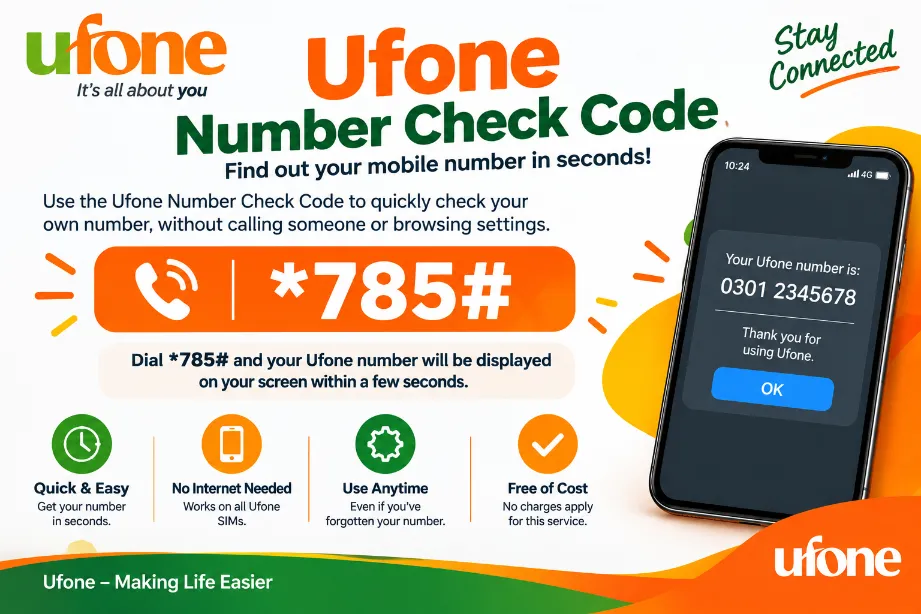
Ufone SIM Number Check Without Balance
The Ufone self-number code generally works without prepaid credit. USSD requests of this type do not depend on mobile data, so you can try the code even with no internet package.
Important details:
- No Wi-Fi connection is required.
- Mobile data can remain switched off.
- The Ufone SIM should have network coverage.
- Select the correct SIM on a dual-SIM handset.
- A temporary network problem can cause a failed request.
Ufone Number Check Code Alternative
Some telecom guides list *1# as an alternative Ufone code. USSD services can change, so *780*3# should be tried first for the 2026 number check.
| Code | Purpose | Internet |
|---|---|---|
*780*3# | Ufone number check | No |
*1# | Alternative code | No |
333 | Customer support | No |
How to Check Ufone Number Online
Users who prefer an online method can access their Ufone account through the company’s online account services. An account can provide mobile connection information along with other account-related features.
The online method requires an internet connection and account access. For a basic SIM number check, the USSD code offers a faster route.
Check Ufone Number Through My UPTCL Account
My UPTCL gives Ufone customers an account-based option for managing their mobile services. Users with an existing account can sign in and view their mobile connection details.
The basic process is:
- Open the My UPTCL service.
- Sign in with your account details.
- Open your mobile connection section.
- View the Ufone number linked with your account.
This option can help users who want account information beyond their SIM number.
Check Ufone Number From Phone Settings
Your mobile phone may also display the SIM number through its settings. Android menus vary according to the handset brand and software version.
Common locations can be:
- Settings
- About Phone
- SIM Status
- SIM Card Status
- Phone Information
Some phones show the number as Unknown. This does not necessarily mean the SIM has a problem.
Check Ufone Number With a Call
You can call a trusted family member or friend from your Ufone SIM. Your number may appear on the other handset, depending on its caller-ID settings.
This option requires calling service. Users who prefer not to make a call can use the USSD code instead.
Check Ufone Number Through Customer Support
Ufone provides customer support through its helpline and other service channels. Customers calling from a Ufone connection can use 333 for assistance.
| Support Method | Information |
|---|---|
| Ufone helpline | 333 |
| UAN / WhatsApp | 033-11-333-100 |
| Online account | My UPTCL |
| Self-number code | *780*3# |
Customer support may request account or identity details before providing account-related assistance.
What to Do If *780*3# Does Not Work
A USSD request can fail because of weak network coverage, SIM selection, temporary service problems, or a handset issue.
Try these steps:
- Check the Ufone network signal.
- Select the Ufone SIM before dialing.
- Restart the phone.
- Dial
*780*3#again. - Try
*1#as an alternative. - Check SIM information through phone settings.
- Sign in to My UPTCL.
- Contact Ufone support through 333.
A temporary network issue may also cause a USSD request to fail. Trying again after a short period can solve the problem.
Ufone Number Check Code and Online Method
Several methods can help you find your Ufone number.
| Method | Internet | Balance | Speed | Main Use |
|---|---|---|---|---|
*780*3# | No | Usually no | Fast | Find Ufone number |
*1# | No | Usually no | Fast | Alternative USSD method |
| My UPTCL | Yes | No | Moderate | Account information |
| Phone settings | No | No | Fast | SIM information |
| Ufone 333 | No | Call service | Depends | Customer support |
Can I Check a Ufone Number Without the SIM?
The *780*3# method works from the Ufone SIM that you want to check. It does not provide a public search for another subscriber’s mobile number.
For account information, use Ufone’s official support channels rather than third-party websites claiming access to private subscriber data.
What is the Ufone number check code in 2026?
Dial *780*3# from your Ufone SIM to request your mobile number through the USSD service.
Does the Ufone number check code require balance?
The self-number USSD method generally works without prepaid credit.
Can I check my Ufone number without internet?
Yes. The USSD method works through the mobile network and does not require Wi-Fi or mobile data.
Can I check my Ufone number online?
Yes. My UPTCL provides an account-based option for accessing Ufone mobile service details. An internet connection and account access are required.
What can I do if the Ufone code fails?
Check your network signal, select the correct Ufone SIM, restart your handset, and try *780*3# again. You can also try *1# or contact Ufone customer support.
What is the Ufone helpline number?
Ufone customers can dial 333 from a Ufone connection for customer support. The UAN/WhatsApp contact is 033-11-333-100.



Visitor Rating: 5 Stars