
Jazz ROX users can deactivate their active ROX service through a USSD code, the ROX app, SIMOSA, or Jazz customer support. The commonly used ROX cancellation code is *337#. Jazz also provides *6611# for checking and managing active Value Added Services.
The cancellation process takes only a few steps. After sending the request, users should wait for a confirmation SMS and check their active subscriptions again.
ROX Jazz Unsubscribe Code
The commonly reported code for ROX cancellation is *337#. Users can dial this code from their Jazz number and follow the menu shown on the screen.
| Purpose | Code or Method |
|---|---|
| ROX cancellation | *337# |
| Active VAS management | *6611# |
| ROX account management | ROX App |
| Jazz service management | SIMOSA App |
| Customer support | 111 |
The *6611# option can also help users check active Jazz services and find subscriptions that may cause recurring balance deductions.
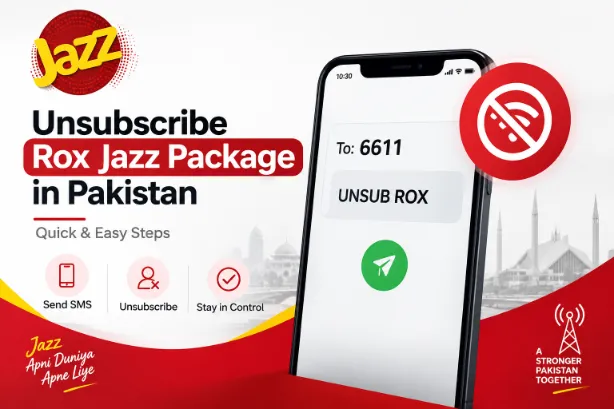
How to Unsubscribe ROX Jazz Package Using *337#
The USSD method provides a simple way to request ROX cancellation directly from a Jazz SIM.
Follow these steps:
- Open the dialer on your mobile phone.
- Dial *337#.
- Wait for the menu to appear.
- Select the option for the next menu.
- Enter 99.
- Select 1 for the ROX cancellation option.
- Submit the request.
- Wait for the confirmation SMS.
The exact menu can change over time, so follow the options displayed on your screen. Save the confirmation SMS after completing the process.
How to Unsubscribe ROX Through the App
ROX users can manage their account through the official ROX app. The app gives users access to their subscription details and other ROX services.
Use these steps:
- Open the ROX App.
- Sign in using your Jazz or ROX number.
- Open the package or subscription section.
- Check your active ROX service.
- Select the available cancellation or deactivation option.
- Follow the instructions shown in the app.
- Wait for the confirmation.
- Check the account again after cancellation.
The app menu may vary according to the latest version installed on your phone.
How to Check Active Jazz Services Before Cancellation
Jazz provides *6611# for active Value Added Service management. This option helps users see subscriptions connected to their number.
Dial *6611# from the Jazz SIM and follow the menu. You can review active services and use the available options for deactivation.
This step can help identify other subscriptions on the same number. A user may cancel ROX but still have another paid service active.
Steps to Check Services Through *6611#
Use the following process:
- Open your phone dialer.
- Enter *6611#.
- Wait for the Jazz menu.
- Review the active services.
- Select the service you want to deactivate.
- Follow the instructions.
- Wait for the confirmation message.
The service management option can help users keep track of subscriptions connected to their Jazz number.
ROX Cancellation Through SIMOSA
SIMOSA provides another way to manage Jazz services. Users can open the app and check the services connected to their mobile number.
Go to:
SIMOSA App → Services → Subscribed
The subscribed section can show active services linked with the account. Select the relevant service and follow the available deactivation instructions.
This method can prove useful for users who prefer app-based account management rather than USSD codes.
ROX Cancellation Through Jazz Helpline
Jazz customers can contact customer support by dialing 111 from their Jazz number.
Tell the representative that you want to deactivate your ROX subscription. The representative may verify account details before processing the request.
Keep your Jazz SIM active during the call and note any confirmation or complaint number provided by the support team.
What Happens After ROX Unsubscription?
After successful cancellation, the active ROX subscription should stop renewing. Package resources already available on the account may follow the original package terms.
Check the following points after submitting the cancellation request:
- Confirmation SMS received
- ROX subscription status checked
- Recurring deduction stopped
- Remaining data checked
- Remaining minutes checked
- Active VAS reviewed
- ROX app checked
A confirmation message provides useful proof that the cancellation request has been processed.
ROX Package Cancellation Methods at a Glance
| Method | Action | Suitable Use |
|---|---|---|
| *337# | Follow the ROX cancellation menu | Direct ROX cancellation |
| *6611# | Review active VAS | Service management |
| ROX App | Manage ROX subscription | App users |
| SIMOSA App | Open Services and Subscribed | Jazz account management |
| 111 | Contact customer support | Cancellation assistance |
Each method offers a different way to manage the service. The USSD route works directly from the SIM, while the apps provide account-level controls.
Why ROX Cancellation May Need Extra Checking
A Jazz number can have more than one active service. Cancelling ROX may not deactivate another subscription connected to the same SIM.
For this reason, users should review their active services after cancelling ROX.
Follow these steps:
- Dial *6611#.
- Review the active service list.
- Check the ROX App.
- Review recent balance deductions.
- Contact Jazz support through 111 for any unresolved subscription issue.
This process can help identify another service responsible for balance deductions.
Things to Check Before Cancelling ROX
Before submitting the cancellation request, review your current package details.
Important points:
- Check your active ROX package.
- Review remaining internet data.
- Check remaining minutes.
- Check package expiry.
- Save important confirmation messages.
- Review active VAS.
- Keep the Jazz SIM active.
- Check the ROX App after cancellation.
Checking these details can prevent confusion about remaining package resources and future deductions.
ROX Jazz Package Unsubscribe Confirmation
A confirmation SMS or app notification provides a useful record after submitting the cancellation request.
After receiving confirmation, check your account again. You can also dial *6611# to review active services.
For users who still see ROX charges after cancellation, Jazz customer support through 111 can provide account-specific assistance.
How to Stop Future ROX Deductions
Stopping future deductions requires successful cancellation of the active subscription. After sending the request, check the confirmation message and review active services.
A simple verification routine is:
- Cancel the ROX service.
- Wait for the confirmation SMS.
- Check active subscriptions.
- Review your balance.
- Check the ROX App.
- Contact Jazz support for any remaining issue.
This approach can help prevent an unwanted renewal from staying active.
Final Steps for ROX Jazz Cancellation
The direct USSD route commonly used for ROX cancellation is *337#, followed by the menu instructions. Users can also check Jazz services through *6611#, manage their account through the ROX App or SIMOSA, or contact Jazz support at 111.
After completing the process, always check the confirmation message and active subscription list. These two checks provide a simple way to confirm that the ROX package has been removed and future renewal deductions have stopped.